Appeals fail when they answer a different reason than the one given
Denials always come with a stated reason. The words often correspond to a particular requirement. When an appeal sets out its merits without addressing that requirement, it is answering a question nobody has asked.
The work of matching the reason to the relevant documentation is administrative. It is the part of the process that takes up most of the time spent preparing appeals.
The deadlines are both short and strict. A well-reasoned appeal submitted late is of no value. Monitoring the period from the date of denial is part of the process, not an administrative aside.
A clinician prepares the clinical argument. The flow assembles the file, organizes the administrative sections, and states what is required to address the denial. It does not provide any clinical justification. The page makes that clear.
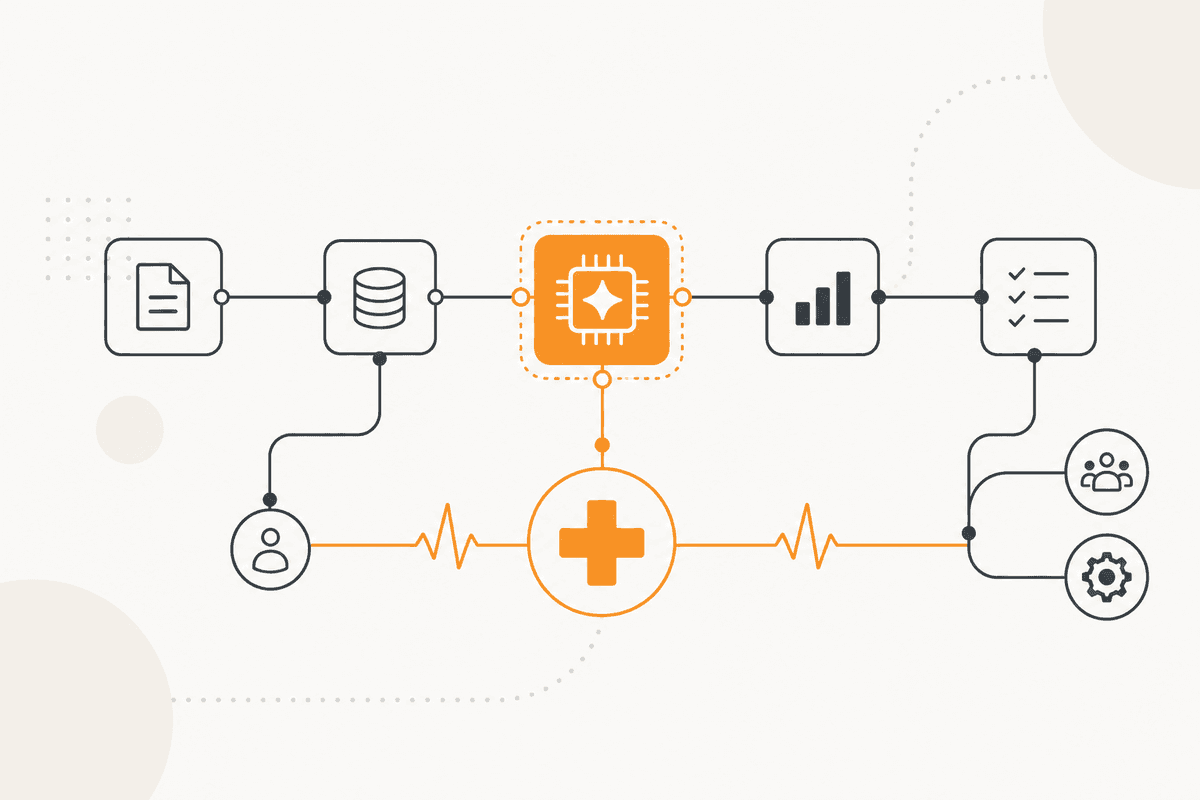
How the ActionFlow runs on the canvas
An Email node or a Document Upload node receives the denial correspondence. A PDF4me node then extracts it.
The Generate Object node reads the denial. It returns the reason given, the specific requirement referred to, the appeal deadline, and the submission method. Each value is taken directly from the letter and presented as a separate field.
The Date node calculates the remaining window at once. A Slack node then sends it, because every later step depends on how much time remains.
An Airtable node maps denial reason types to the documentation that addresses each. A Filter node produces the list of what this appeal needs.
The Loop node retrieves the documents from the record. The Validate node checks coverage rather than presence.
The Generate Text node drafts only administrative sections: the patient's and policy's identifiers, the reason for the appeal, the list of enclosures, and the submission requirements.
A Human in the Loop node holds the pack for the clinician, who then prepares the clinical argument. Nothing is submitted until the clinician approves. Clinical content does not arise in the flow.
Nodes this ActionFlow uses
- Email (Communication): receives denial correspondence. Document Upload takes a supplied letter.
- PDF4me (Data): extracts the contents of the denial letter.
- Generate Object (AI Core): returns reason, cited requirement, deadline, and route as quoted fields.
- Date (Util): computes the remaining appeal window before anything else proceeds.
- Airtable (Integration): maps denial reason types to the documentation that addresses them.
- Validate (Data): checks that retrieved documents actually cover the requirement.
- Generate Text (AI Core): drafts administrative sections only, never clinical justification.
- Slack (Human in the Loop): routes the pack to the clinician, who writes and approves.
Frequently asked questions
Start building AI workflows
Create a free account, open a template or a blank canvas, and run your first ActionFlow.
Newsletter
Get product updates
New nodes, agents, and product notes. We send mail only when we have something worth opening.